Posts

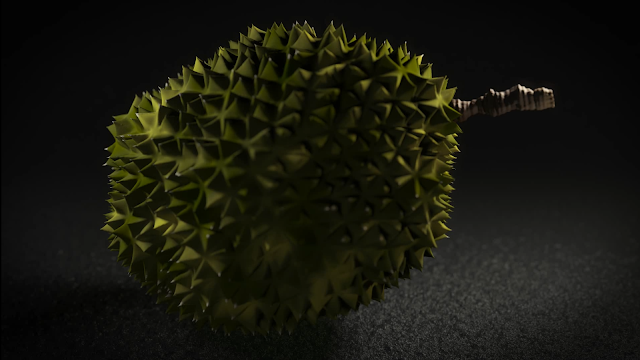
Durian Animation

Image
Houdini Procedural Durian Animation from Patrick Woo on Vimeo . Here is a rendered durian animation. The procedural model was originally static, built for my students' class assignment, I went to animate, light and render it. Rendered in Houdini Mantra.

Maya Expressions Part 07 - Sine and Cosine Functions

Click here for the Youtube version of this video  Happy new year to one and all! Continuing my video series of Maya Expressions, we step into sine and cosine function curves. After talking about random noise functions in the last 2 videos, we talk about the predictable and repeating sine and cosine functions.  These beautiful curves are derived from trigonometry rules relating to triangles and circles. With these functions, we open the door to a wide variety of use-cases where we can drive our objects and their attributes in animation. I will also show a few examples in the video.

Nuke's Colour Selection Scheme

Image
In these last months I've had the opportunity to become more involved in compositing in Nuke. This involves a lot of working with colours. One of the things that had me curious for while was the sliders on the right side of the standard nuke colour picker.  I am talking about the vertical sliders on the right of the image above.  After investing some time in reading the Nuke documentation, I came to the appropriate page  that indicates that this is the TMI colour scheme that allows the user to pick a colour by colour temperature.  Nuke also allows for a more comprehensive colour picker by ctrl/cmd-clicking on the colour wheel icon (to the left of the "4" icon on the right of the image above). Nuke calls it the alternative colour picker. Activating it this way will create a floating colour picker panel that you can interact with. In this panel, you can use the top buttons to toggle the visibility of the TMI, HSV and RGB colour schemes to work with whichever way that i...

Creating a Camera Frustum in Houdini

  Creating a Camera Frustum in Houdini  from  Patrick Woo  on  Vimeo . In this newest video tutorial, I show how to quickly create a camera frustum in Houdini. Having a polygon geometry that outlines the camera frustum is useful as a visual indicator of the camera's direction and shows immediately which objects are inside or outside of the camera. It also allows for a geometric image plane and opens up visualisation options for clipping planes and projection mapping operations.

Maya Expressions 06 - Noise Function

Go here if you'd rather view this on YouTube :) In Maya Expressions Part 05, I showed how to generate random values in expressions. But the values are discrete, not continuous, and cannot be used for most animation situations. In Maya Expressions Part 06 I explore creating animation driven by expression using the noise() function. If you enjoy the video, please like and subscribe. I hope you enjoy the video. I hope are well, stay safe.

Seamlessly Looping Animated Noise in Maya

Image
I've just finished producing another video that shows how to seamlessly loop animated noise in almost any 3D, compositing, and even video editing software.

Maya Expressions 05 - Random Values

Image
This video is also available on Vimeo. In Maya Expressions Part 05, we take a look at random numbers, how Maya generates them, and how we can use them in our expressions. Finally, we put it to use in a simple instrument indicator needle animation.