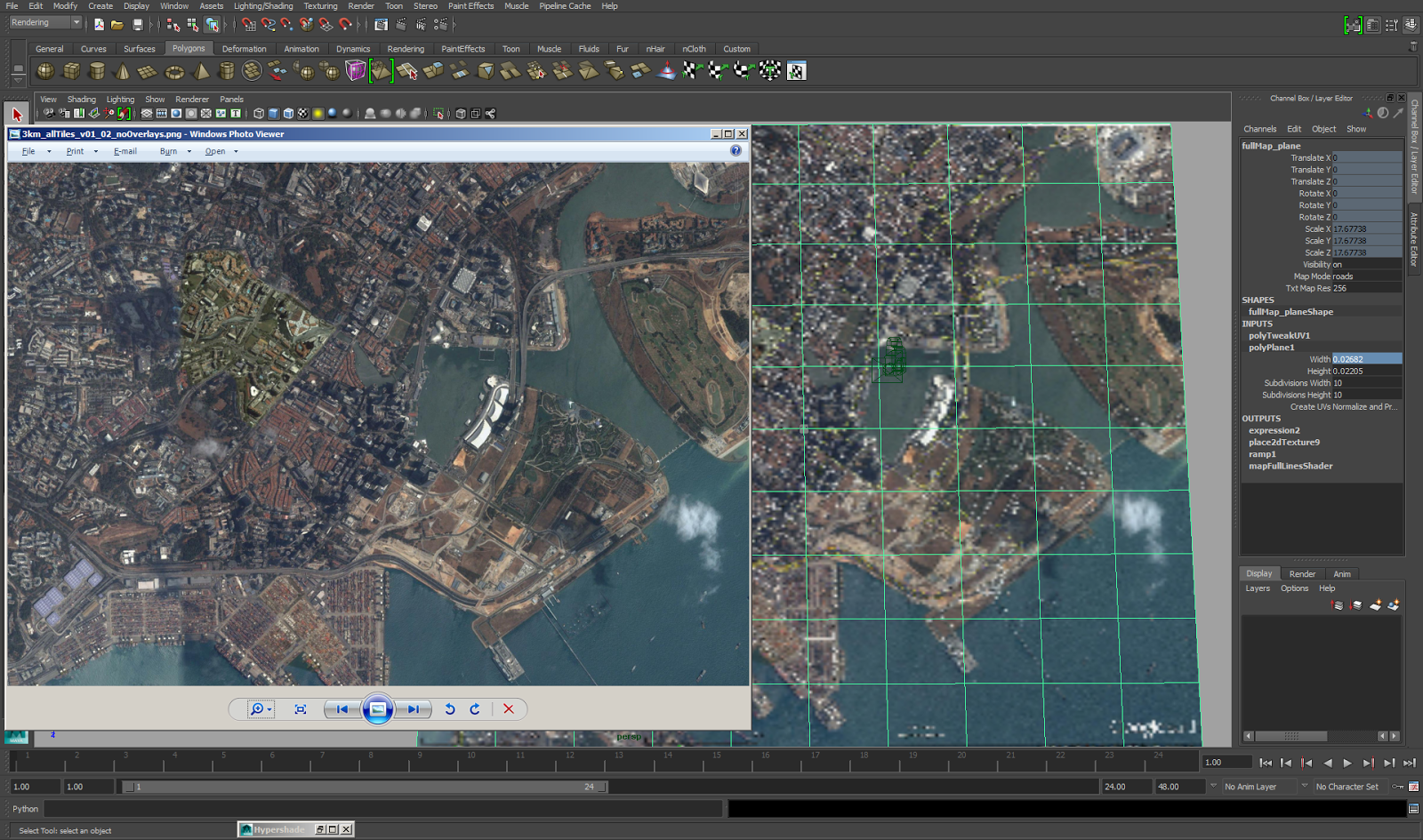
While working on a project that required me to display map features in very fine detail, I ran into the problem of Maya's limited ability to show texture maps at higher than 256x256 in the viewport. On the left is the source image supplied as a texture on the plane in the Maya scene, displayed from Window's image viewer. On the right inside of Maya is the same map that's loaded as a lower resolution map. In the hardware texturing setting for that shader (I'm using a surface shader), we soon find out that 256x256 is the highest resolution we can choose to show our texture at. Searching through the Internet I had the good fortune to come across this very useful tip on a blog that solved the problem for my situation: http://blog.erlendsakshaug.com/post/59585323349/maya-tip-set-texture-resolution-above-256x256-in-the To find out the current hardware texture resolution for the shader of this object, we have to find out the name of the shader. For me it is ...

Comments
Post a Comment